Vectara
Quickstart Tutorial
info
Video tutorial for CiniterFlow coming soon!
We're currently creating new tutorial videos that showcase the CiniterFlow interface and features. Check back soon for updated video content.
Prerequisite
- Register an account for Vectara
- Click Create Corpus
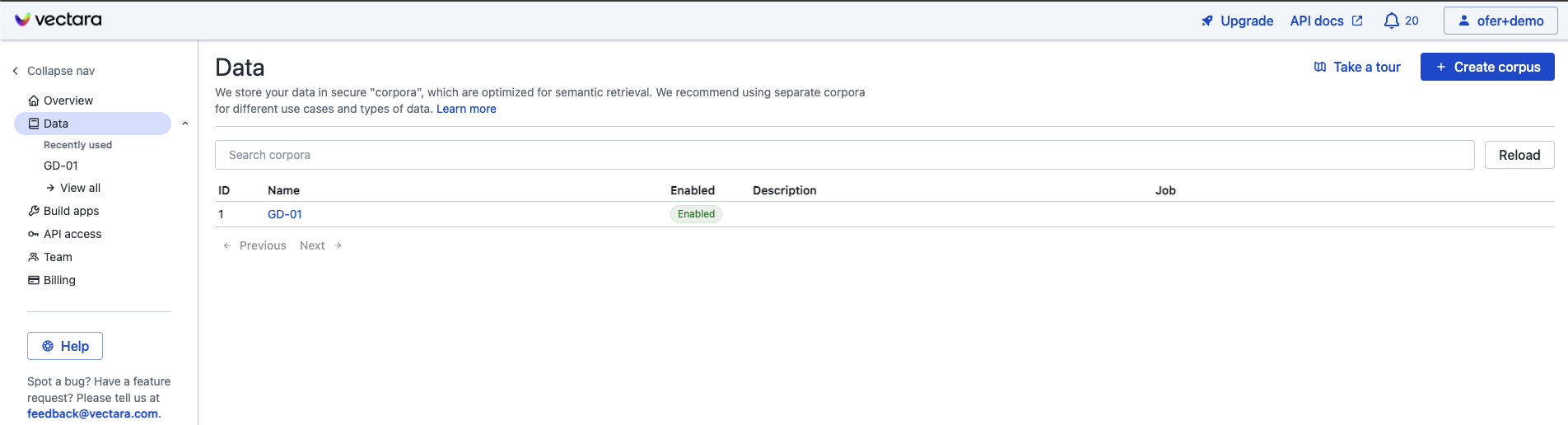
Name the corpus to be created and click Create Corpus then wait for the corpus to finish setting up.
Setup
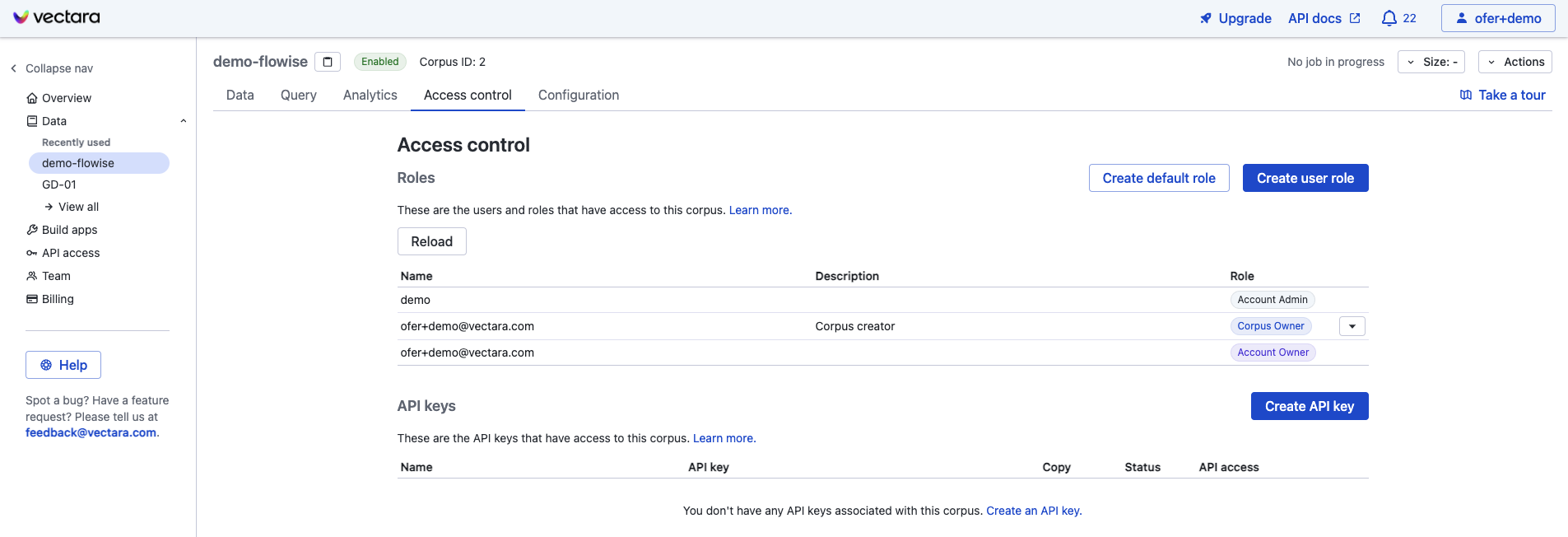
- Click on the "Access Control" tab in the corpus view
- Click on the "Create API Key" button, choose a name for the API key and pick the QueryService & IndexService option
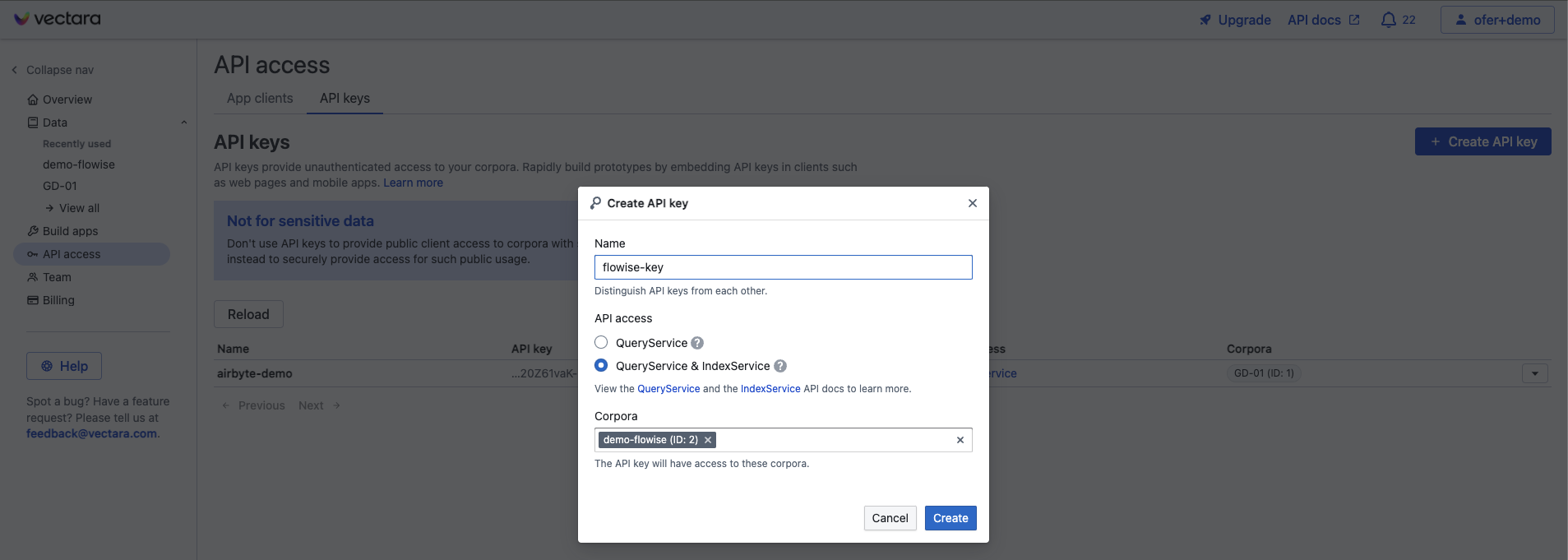
- Click Create to create the API key
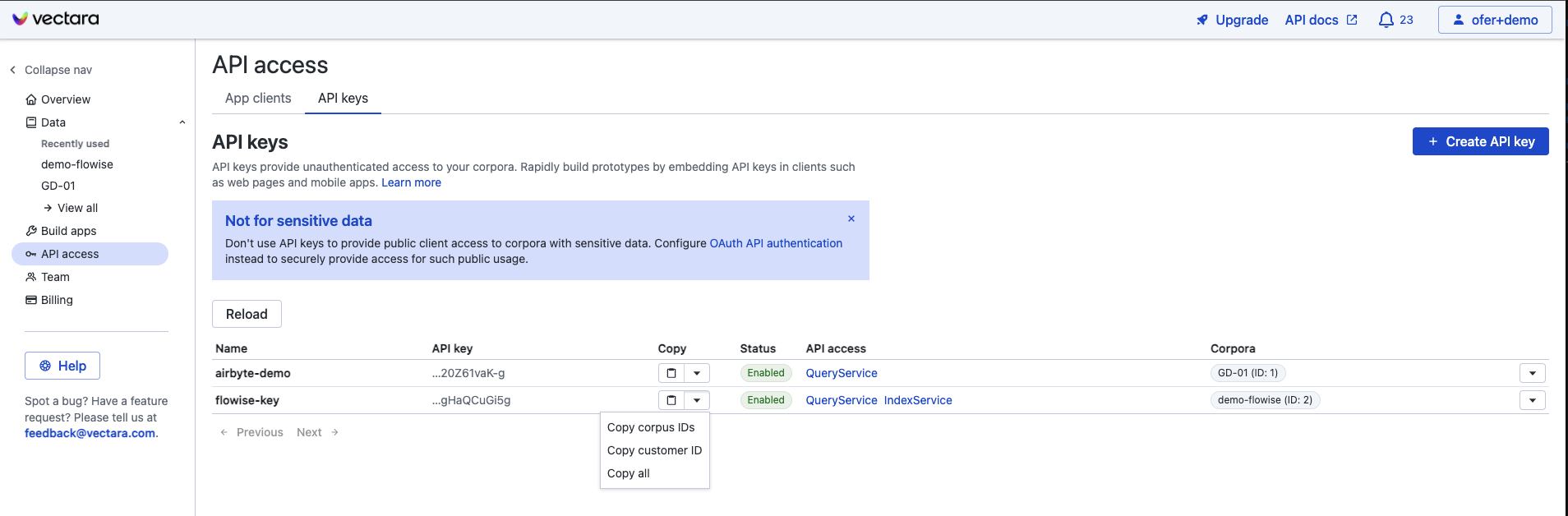
- Get your Corpus ID, API Key, and Customer ID by clicking the down-arrow under "copy" for your new API key:
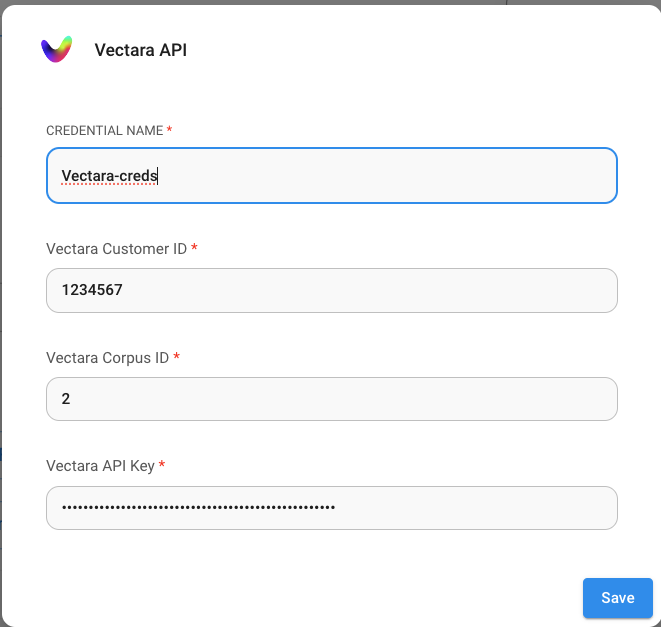
- Back to CiniterFlow canvas, and create your chatflow. Click Create New from the Credentials dropdown ane enter your Vectara credentials.
- Enjoy!
Vectara Query Parameters
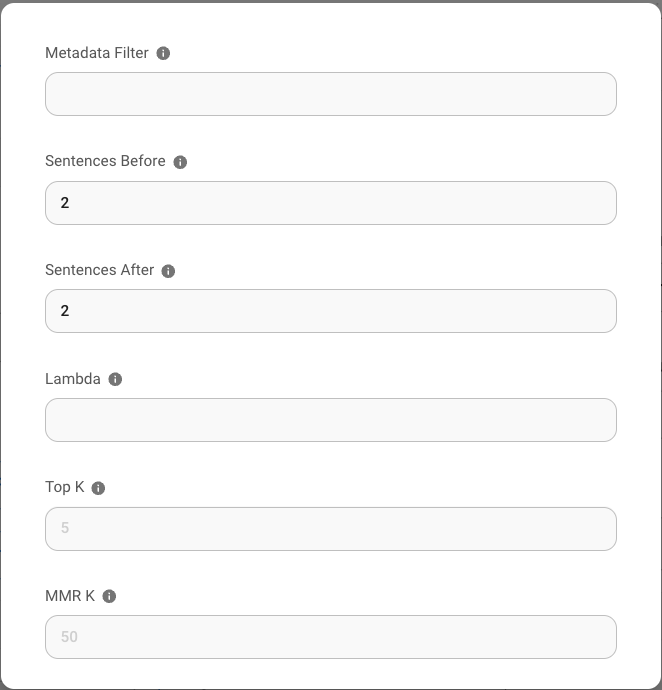
For finer control over the Vectara query parameters, click on "Additional Parameters" and then you can update the following parameters from their default:
- Metadata Filter: Vectara supports meta-data filtering. To use filtering, ensure that metadata fields you want to filter by are defined in your Vectara corpus.
- "Sentences before" and "Sentences after": these control how many sentences before/after the matching text are returned as results from the Vectara retrieval engine
- Lambda: defines the behavior of hybrid search in Vectara
- Top-K: how many results to return from Vectara for the query
- MMR-K: number of results to use for MMR (max marginal relvance)