ChatOllama
Prerequisite
-
For example, you can use the following command to spin up a Docker instance with llama3
docker run -d -v ollama:/root/.ollama -p 11434:11434 --name ollama ollama/ollama
docker exec -it ollama ollama run llama3
Setup
- Chat Models > drag ChatOllama node
-958570898268b007cc84b85953a2ddcb.png)
- Fill in the model that is running on Ollama. For example:
llama2. You can also use additional parameters:
-22c2715d7b917c32da518e9eb40a7ec9.png)
- Voila 🎉, you can now use ChatOllama node in CiniterFlow
-4d91b41bf017e346d4cf9e25d3040f36.png)
Running on Docker
If you are running both CiniterFlow and Ollama on docker. You'll have to change the Base URL for ChatOllama.
For Windows and MacOS Operating Systems specify http://host.docker.internal:8000. For Linux based systems the default docker gateway should be used since host.docker.internal is not available: http://172.17.0.1:8000
-eb8f504950e616db97daea88aa53a483.png)
Ollama Cloud
- Create an API key on ollama.com.
- In CiniterFlow, click Create Credential and select Ollama API, and enter your API Key.
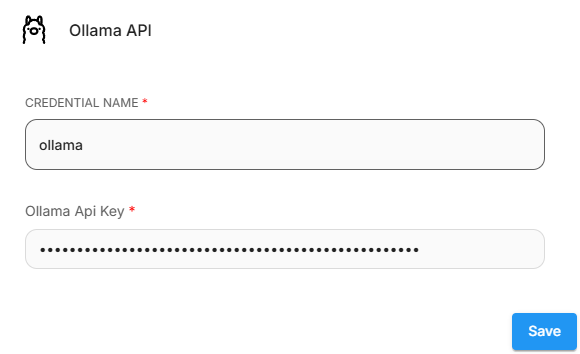
- Then, set the Base URL to
https://ollama.com - Enter the models that are available on Ollama Cloud.
-b82dab8640221140418dad51cb966f4c.png)