Prerequisite
- Log in or sign up to Azure
- Create your Azure OpenAI and wait for approval approximately 10 business days
- Your API key will be available at Azure OpenAI > click name_azure_openai > click Click here to manage keys

Setup
Azure OpenAI Embeddings
- Click Go to Azure OpenaAI Studio

- Click Deployments
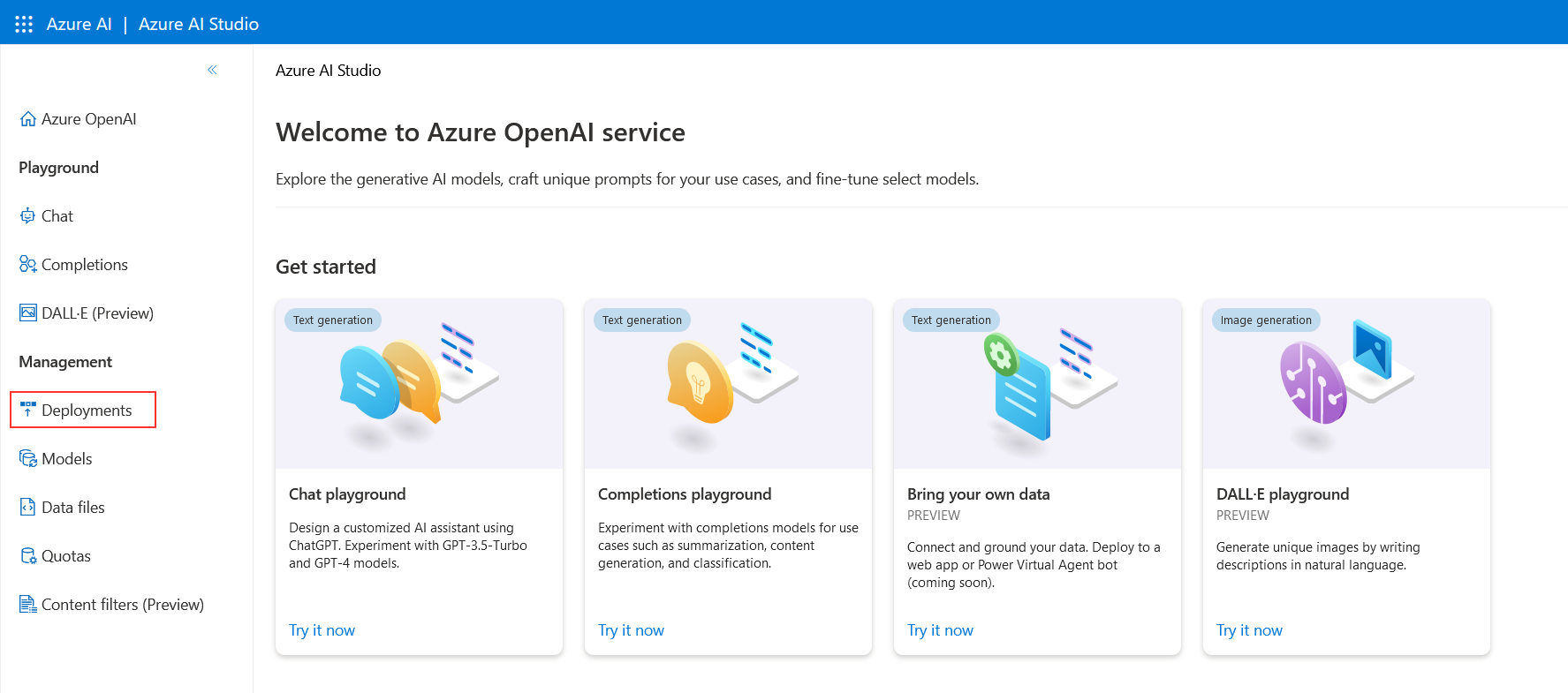
- Click Create new deployment

- Select as shown below and click Create
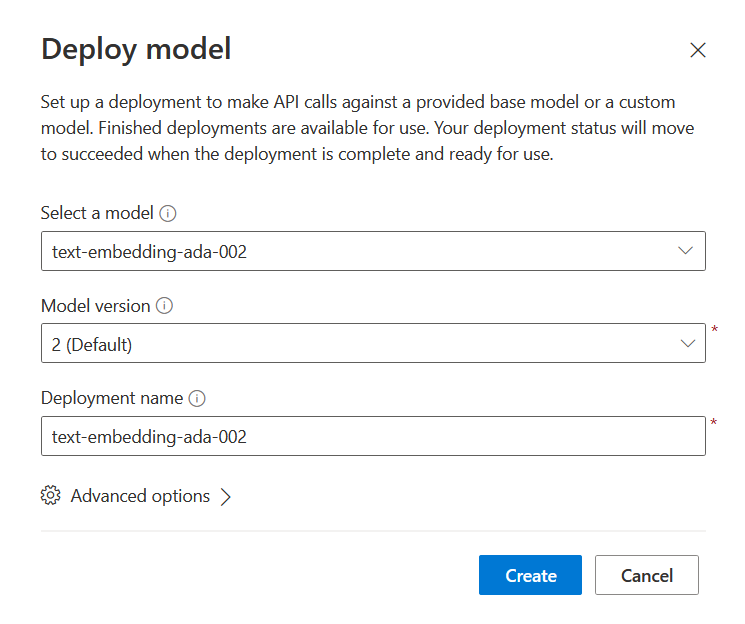
- Successfully created Azure OpenAI Embeddings
- Deployment name:
text-embedding-ada-002
- Instance name:
top right conner

CiniterFlow
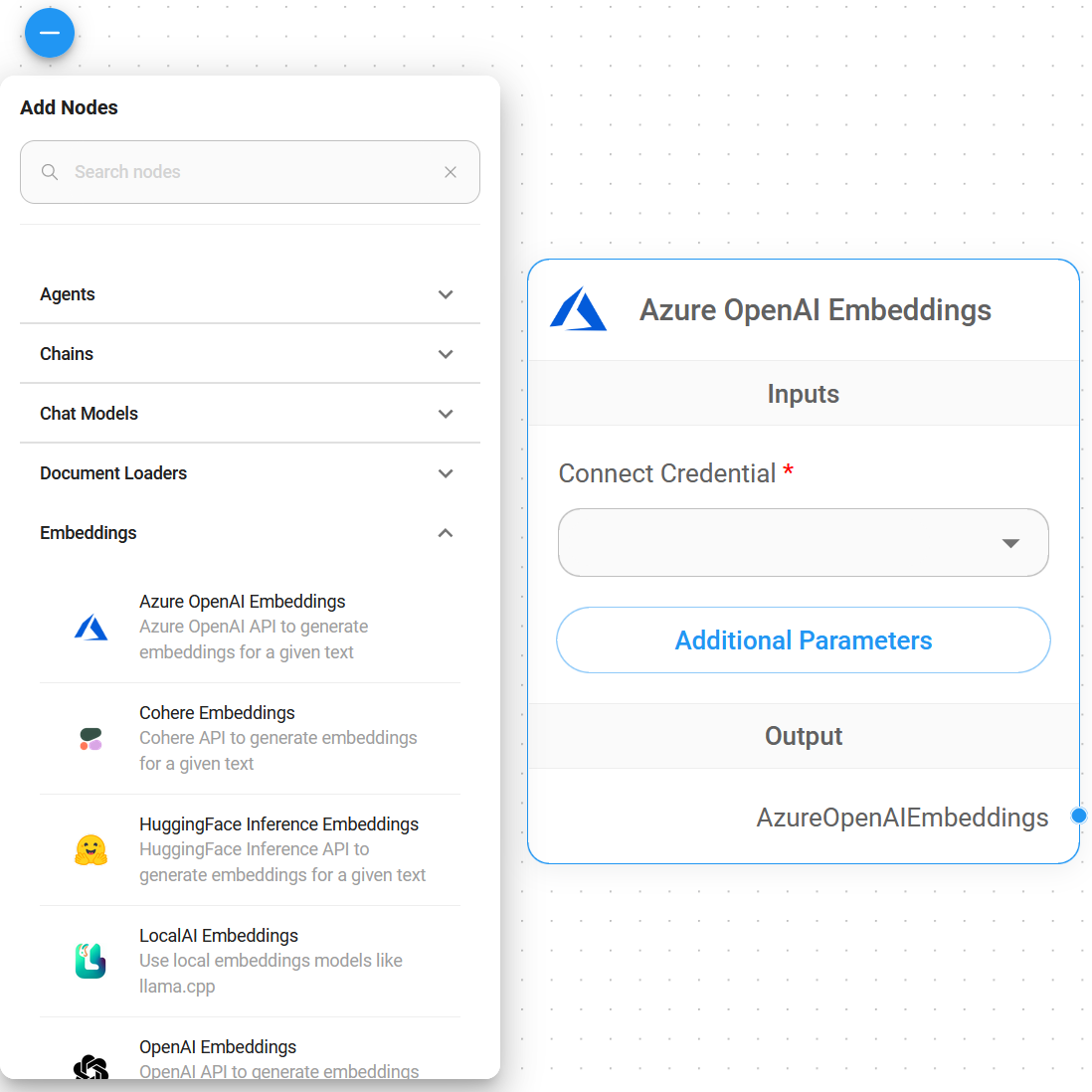
- Embeddings > drag Azure OpenAI Embeddings node
- Connect Credential > click Create New
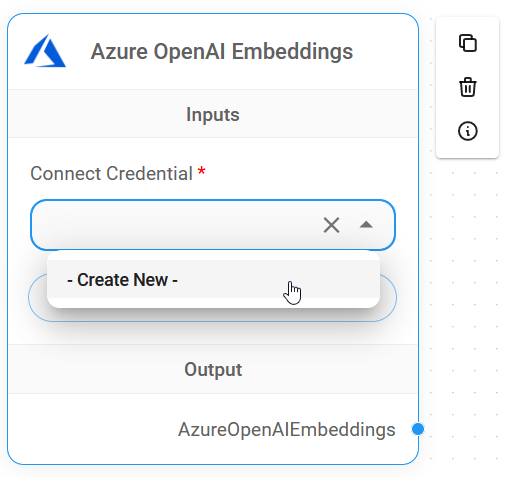
- Copy & Paste each details (API Key, Instance & Deployment name, API Version) into Azure OpenAI Embeddings credential
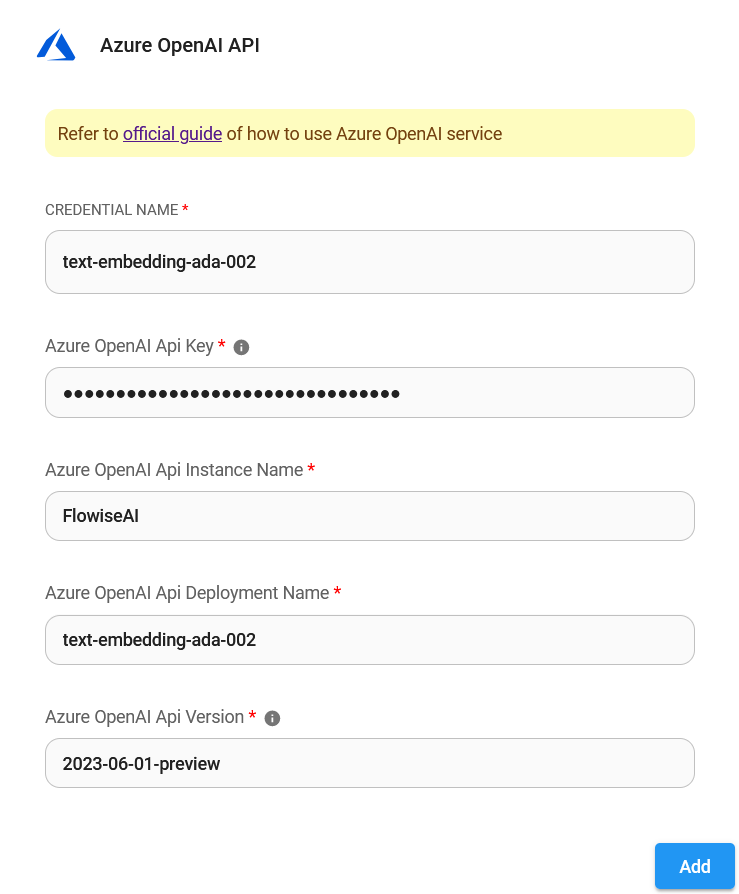
- Voila 🎉, you have created Azure OpenAI Embeddings node in CiniterFlow
Resources