Setup
- Register an account on AstraDB
- Login to portal. Create a Database
 (1) (1) (1) (1) (1) (1) (2) (1)-4b455a5dab856bed70de4561ccf00c36.png)
- Choose Serverless (Vector), fill in the Database name, Provider, and Region
 (1) (1) (1) (1) (1) (1) (2) (1) (1)-7039c2f2b25ba71472605bf9e94e607c.png)
- After database has been setup, grab the API Endpoint, and generate Application Token
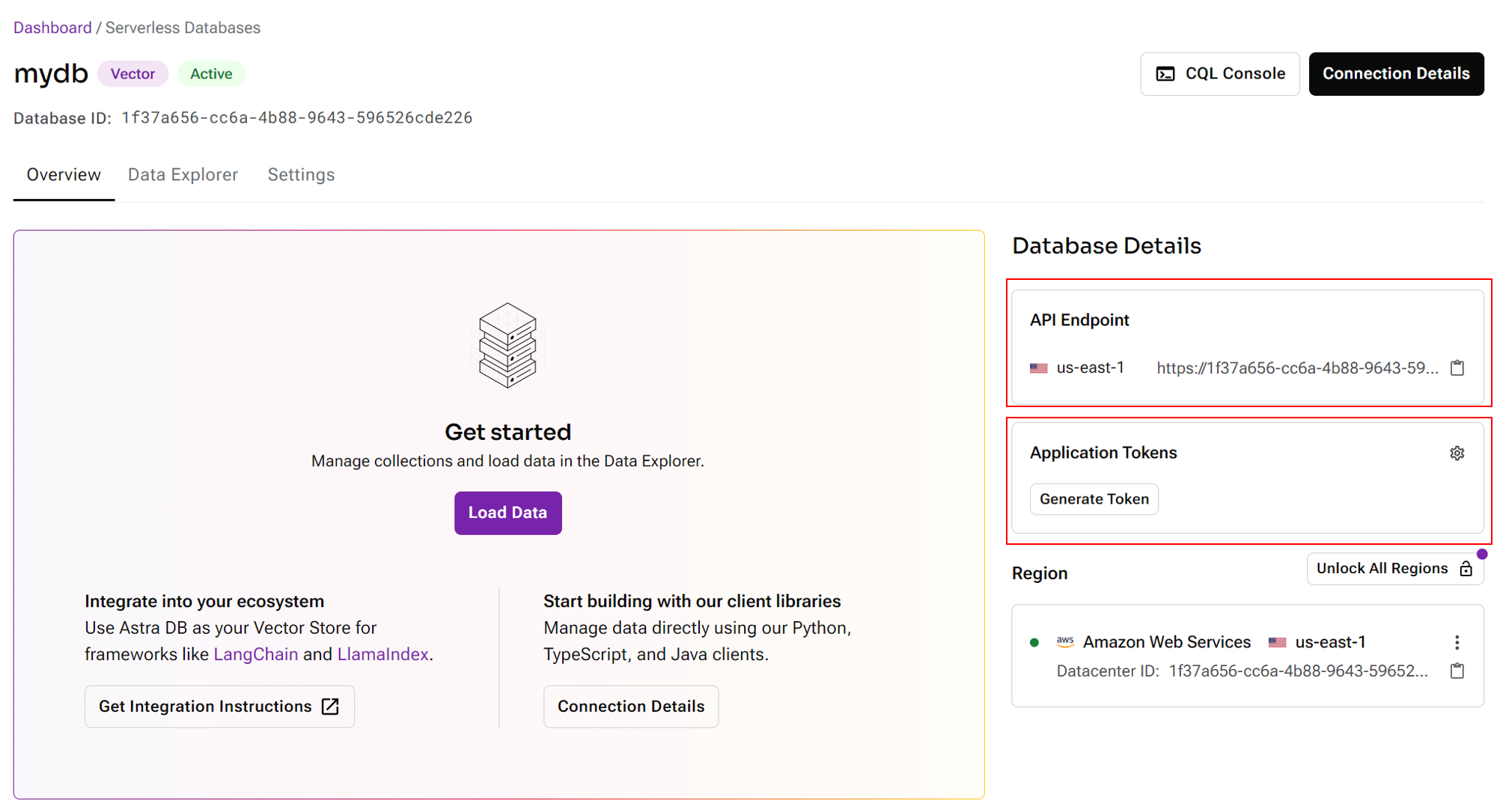
- Create a new collection, select the desired dimenstion and similarity metric:
 (1) (1) (1) (1) (2) (1)-8dd159ffe7377d560745d1bbb593a0df.png)
- Back to CiniterFlow canvas, drag and drop Astra node. Click Create New from the Credentials dropdown:
 (1) (1) (1) (1) (2)-ed5697854fc10776f0cf5897447e53c9.png)
- Specify the API Endpoint and Application Token:
 (1) (1) (1) (1) (2)-2a99dc82ec408332745d0ccbcde58def.png)
- You can now upsert data to AstraDB
 (1) (1) (1) (1) (1) (1) (2) (2)-1350d8aee28ea8bc404478609040aa87.png)
- Navigate back to Astra portal, and to your collection, you will be able to see all the data that has been upserted:
 (1) (1) (1) (1) (1) (2)-c602580933c2d58100acceb81cb99025.png)
- Start querying!
 (1) (1) (1) (1) (1) (1) (1) (1) (1) (1)-912f4a890ac0e6865ee824a7856ca7ef.png)